7.1 Surround Sound System with Dolby Atmos: 460W Soundbar & Subwoofer Setup Guide
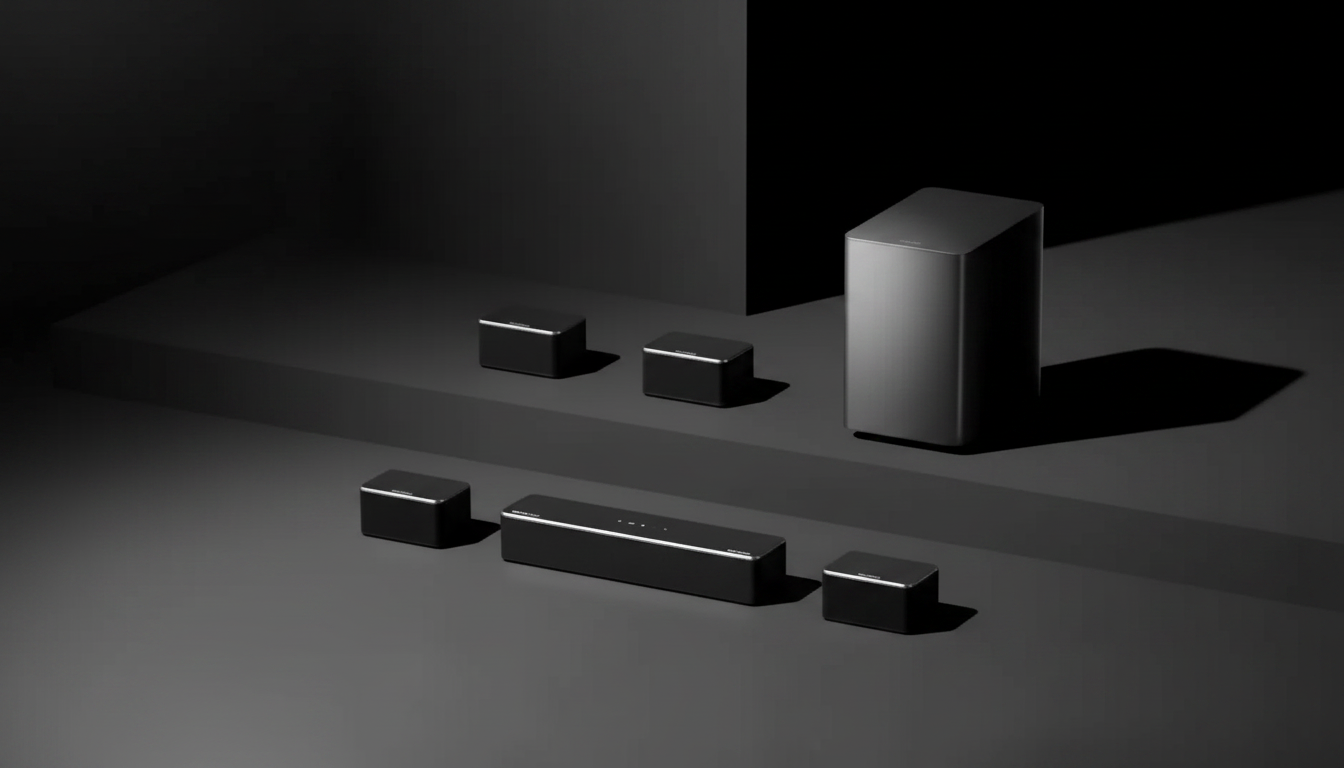
A 7.1 system built around a Dolby Atmos-capable soundbar and subwoofer can deliver wide, room-filling audio with height effects, clearer dialogue, and deeper bass than TV speakers. This guide explains what a 460W setup is designed to do, how to place and connect it for the most convincing surround experience, and what to confirm before buying for your TV and room.
What a 7.1 Dolby Atmos Soundbar System Delivers
A 7.1 Atmos soundbar system is built to make movies, sports, and games feel bigger than the screen—without the complexity of a traditional receiver and multiple separate speaker runs.
- Immersive surround field: Multiple channels create left/right width, a dedicated dialogue-focused center presentation, surround ambience, and subwoofer-driven bass impact.
- Dolby Atmos height cues: When the content and signal support it, Atmos adds overhead motion—like rainfall, helicopters, or crowd noise—for a more layered soundstage. Learn more about the format at Dolby Atmos.
- Soundbar convenience: A single front unit plus a subwoofer reduces clutter and setup time compared to AVR-based systems.
- Stronger dialogue clarity: Soundbars often include voice-focused processing so conversations stay intelligible at lower volumes.
- Bass impact from a dedicated subwoofer: Offloading low frequencies to the subwoofer can improve both punch and midrange clarity versus TV speakers.
Quick Specs Snapshot and What They Mean in a Living Room
Specs don’t tell the whole story, but they do hint at what a system can do once it’s placed and configured correctly.
- Power rating (460W): Indicates potential loudness and dynamic headroom. Real results depend on the room, seating distance, and content mastering.
- Channel layout (7.1): Aims to create a wider front stage and stronger surround wraparound than basic 2.1 or 3.1 setups—especially when your seating is centered.
- Atmos support: Works best with Atmos-enabled streaming titles, UHD Blu-ray, or compatible devices set to pass Dolby audio formats.
- Subwoofer included: Takes stress off the soundbar’s small drivers, which can reduce distortion and make voices sound cleaner at higher volumes.
- Best-fit rooms: Typically medium to larger spaces where there’s enough distance for effects to blend and reflections to help envelopment.
How common features affect day-to-day use
| Feature |
What it changes |
What to check |
| Dolby Atmos decoding |
Adds height dimension and more precise object placement |
TV/app/device supports Atmos output; correct audio format selected |
| Subwoofer |
Deeper bass and more cinematic impact |
Sub placement options; neighbors/walls; bass control settings |
| Multiple channels (7.1) |
Stronger surround presence and separation |
Room layout allows reasonable seating position and wall reflections |
| HDMI eARC/ARC (if available) |
Simplifies connection; enables higher-quality audio return |
TV HDMI port labeling; cable quality; eARC settings toggled on |
| Sound modes (movie/voice/night) |
Adapts tonal balance and dynamics |
Ability to save preferred mode; night mode effectiveness |
Placement That Improves Atmos and Surround Effects
Small placement changes can make a larger difference than toggling sound modes. Start simple, then adjust based on what you hear.
Getting the Best Connection to the TV and Sources
- Prefer HDMI eARC/ARC when available: It’s usually the simplest single-cable route from TV to soundbar for TV apps and connected devices. For the technical overview, see HDMI eARC.
- Streaming devices and consoles: Set audio output to bitstream/auto (or Dolby) so Dolby formats can pass through. Avoid forcing stereo PCM unless troubleshooting.
- Optical (TOSLINK) as a fallback: Optical is stable and common, but it can limit format support compared to eARC in many setups—especially for Atmos.
- CEC control: HDMI-CEC can let your TV remote control power and volume. If devices turn on/off unexpectedly, CEC is the first setting to try disabling.
- Cable basics: Use a quality, certified HDMI cable to reduce handshake issues, dropouts, and “audio cuts out” behavior—especially with eARC.
Tuning Checklist for Cleaner Dialogue and Punchier Bass
Who This System Fits Best (and Who Should Consider Alternatives)
Shop in-stock picks
FAQ
Does Dolby Atmos work through a soundbar with a subwoofer?
Yes. Atmos can work through a soundbar system when the soundbar supports Dolby Atmos decoding and your TV/device outputs an Atmos-compatible signal (commonly via HDMI eARC/ARC). You’ll also need content that’s actually available in Atmos to hear height effects.
Where should the subwoofer be placed for the best bass?
Start near the front wall close to the TV, then adjust placement to reduce boominess and improve smoothness. Corners can increase output, but they may exaggerate certain bass notes, so small moves can make a big difference.
Why is the soundbar not playing surround or Atmos even though it is connected?
Common causes include the TV being set to stereo PCM, the streaming app not offering Atmos for that title, incorrect audio output settings on a connected device, or using an optical connection that limits formats in some setups. Confirm the TV/device is set to bitstream/auto and use HDMI eARC/ARC when available.
Recommended for you







Leave a comment