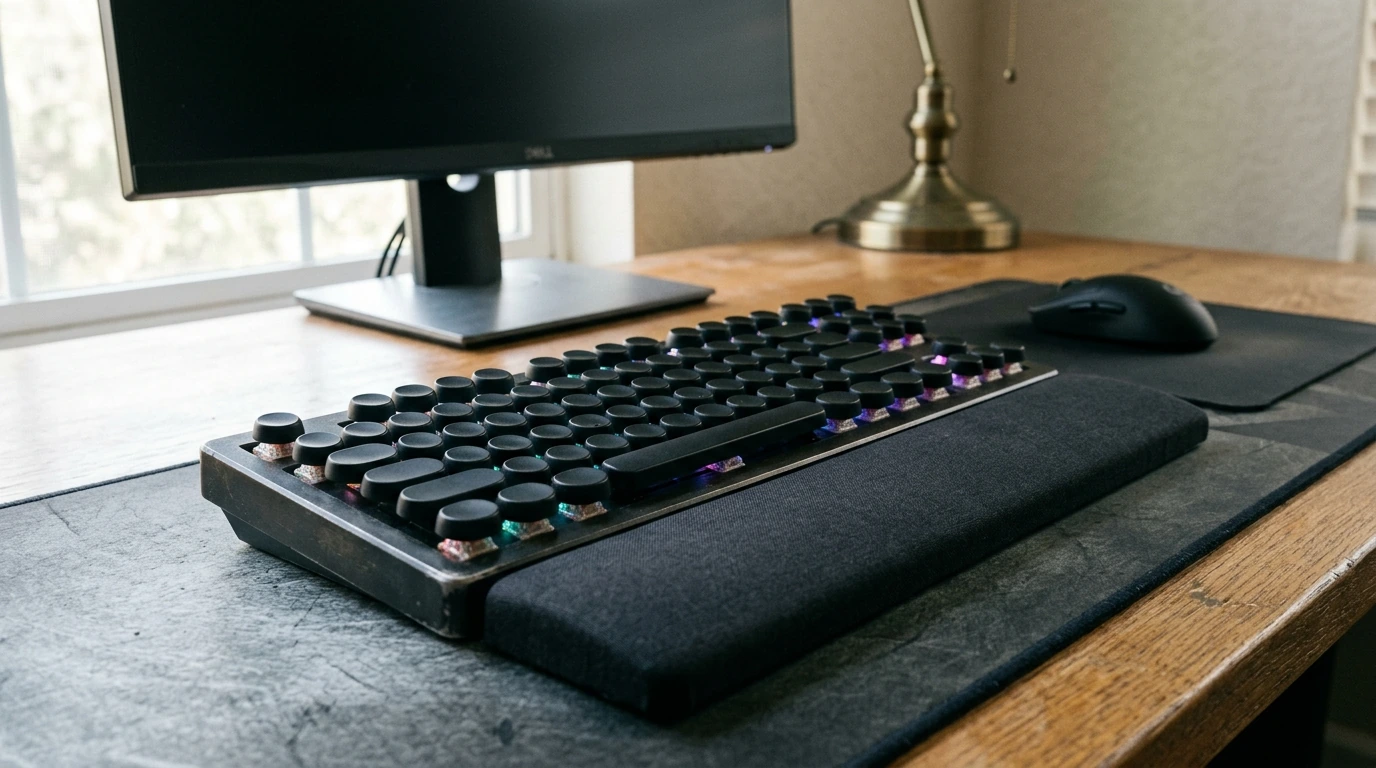
A keyboard that blends nostalgic typewriter style with modern gaming-ready features can elevate both desk aesthetics and daily comfort. This retro-inspired mechanical keyboard pairs round keycaps with RGB backlighting and a supportive wrist rest—built for long sessions of work, play, and creative focus. If your setup needs a statement piece that still feels responsive under your fingers, the Retro Typewriter Mechanical Gaming Keyboard with RGB Backlit & Wrist Rest is an easy way to refresh your desk without jumping into premium custom-build pricing.
Typewriter-style keyboards stand out immediately because they don’t try to look “invisible.” Instead, they lean into personality—especially with round, vintage-style keycaps and a slightly raised profile.
If your desk setup is part productivity space and part personal studio, this design approach adds character without sacrificing modern usability.
A mechanical-style feel is popular for good reason: it offers consistent feedback and can make repeated inputs feel snappy. Whether you’re grinding through matches, doing school assignments, or working through a long spreadsheet, tactile responsiveness can help the keyboard feel more “connected” to your hands.
For comfort and safety guidance around workstation habits, practical ergonomics recommendations can be found through NIOSH ergonomics resources.
RGB backlighting isn’t only about flash. It can make the keyboard easier to use in dim rooms, reduce squinting at night, and help you set a desk mood that matches your game or workspace theme.
A simple rule: match brightness to the room. If your display is turned down for evening use, your keyboard lighting should follow suit.
A wrist rest can be a difference-maker when you spend hours at the keyboard. The goal is to support your hands in a relaxed position and help reduce pressure at the edge of the desk.
To round out a retro workspace visually (and support better posture with the right seating), consider pairing your setup with the Household Retro Solid Wood Saddle Chair.
If you’re upgrading from a basic keyboard, the value is in getting a bold look plus modern comforts—without treating your desk refresh like a major build project.
| Item | Details |
|---|---|
| Product | Retro Typewriter Mechanical Gaming Keyboard with RGB Backlit & Wrist Rest |
| Price | $39.82 (USD) |
| Availability | In stock |
| Style highlights | Retro typewriter look, RGB backlight, wrist rest |
| Best for | Users who want a statement keyboard with tactile, mechanical-style feedback |
A great-looking keyboard is even better when the rest of the setup supports comfortable posture and smooth workflow.
For longer evening sessions, it can also help to set a wind-down routine before bed. The Essential Oils Relaxation Checklist – Simple Daily Ritual Guide is a small add-on that pairs nicely with a cozy desk environment.
A wrist rest can help reduce pressure and encourage a more neutral hand position when it lightly supports the palm area. It works best alongside good posture, proper chair height, and regular short breaks to reset your hands.
They can be, but comfort depends on your typing technique and how you feel about the keycap shape and spacing. Many people adapt after a short adjustment period, so it’s worth giving your hands a few days before deciding.
Use lower brightness and calmer modes (such as a static color) to reduce glare and distraction. Avoid intense flashing patterns, and try to match the keyboard’s brightness to the room’s ambient light.





Leave a comment