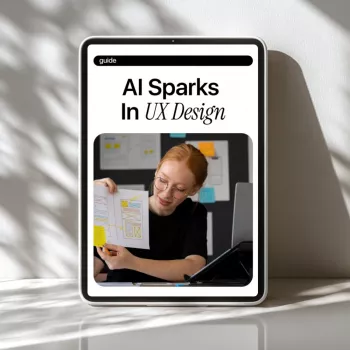
AI can speed up UX work, expand exploration, and improve consistency—without replacing core design judgment. The most effective teams treat AI as a collaborator for research synthesis, ideation, content drafts, and evaluation support, while keeping humans accountable for goals, ethics, accessibility, and real user understanding. This guide breaks down practical ways to integrate AI into everyday UX tasks, what to watch out for, and how to set up a reliable, repeatable process across designers and product teams.
AI delivers the biggest gains when it reduces friction in repeatable tasks and creates faster feedback loops—especially early, when uncertainty is high.
AI works best when it’s embedded into an end-to-end workflow with clear checkpoints—so speed never outruns accuracy.
Use AI to extract recurring issues and opportunities from customer feedback, analytics notes, reviews, and call transcripts—then verify with targeted follow-ups. A useful pattern is “AI for breadth, humans for depth”: let AI scan large volumes, then have researchers confirm themes by re-reading raw evidence and speaking with users.
Draft problem statements, assumptions, and hypotheses; convert them into testable questions and success metrics for product and engineering alignment. This stage benefits from structured outputs (for example: “If we do X for segment Y, metric Z should move”), which makes reviews faster and reduces ambiguity.
Generate multiple flows and screen concepts; explicitly include constraints (platform, accessibility, localization, tech stack) to keep ideas realistic. When AI proposes options, ask it to also list “what could go wrong” (edge cases, confusing transitions, error recovery) so weak concepts are exposed early.
Translate chosen concepts into wireframe descriptions, interaction rules, and content. Keep a “single source of truth” in the design system, so AI-generated variations don’t accidentally fork components or invent patterns that engineering can’t ship.
Create heuristic checklists, cognitive walkthrough steps, and usability tasks; use AI to flag potential edge cases and confusing states. For established UX principles and evaluation methods, resources like Nielsen Norman Group are a reliable reference point.
Draft specs, user stories, release notes, and support documentation; finalize with human review and stakeholder sign-off. For human-centered process alignment, teams often map their activities to standards such as ISO 9241-210, while accessibility work should be verified against WCAG.
| UX stage | What AI can do | Human checkpoint |
|---|---|---|
| Research intake | Summarize interviews, cluster themes, draft insight statements | Validate themes with raw notes, check for missing/overweighted voices |
| Problem framing | Draft JTBD statements, hypotheses, and success metrics | Confirm alignment with strategy, constraints, and actual user goals |
| Information architecture | Propose navigation labels, grouping options, and sitemap variants | Card-sort or tree-test with users; ensure domain language accuracy |
| Interaction design | Suggest patterns, edge cases, and state diagrams | Confirm feasibility with engineering; validate flows with prototypes |
| Content design | Generate microcopy variants and tone adjustments | Run content QA for clarity, inclusivity, legal, and brand consistency |
| Accessibility review | Surface likely issues (contrast, labels, focus order) and remediation ideas | Test with tooling and real assistive tech; meet WCAG requirements |
| Handoff | Draft specs, acceptance criteria, and component usage notes | Review for completeness; reconcile with design system and backlog reality |
Consistency is where AI starts to feel “safe” for teams. A lightweight brief reduces rework and makes outputs comparable across designers and sprints.
For teams that want a repeatable, day-to-day approach, AI Sparks in UX Design – Practical Guide to Smarter UX, AI in UX Design Work for Modern Designers & Product Teams is a focused resource centered on real workflow moves: better briefs, faster drafts, and stronger review gates.
AI can summarize findings and suggest hypotheses, but it can’t replace recruiting, observing real behavior, and validating with users. Treat AI outputs as drafts that must be traceable back to evidence and confirmed through direct user contact.
Start with low-risk, high-repeatability work like summarizing notes, drafting discussion guides, generating microcopy variants, and creating evaluation checklists. Keep human review as the final gate, especially for high-impact flows and public-facing content.
Use structured briefs, require sources for claims, and keep links to underlying evidence (quotes, tickets, analytics) for anything that becomes a decision input. Limit sensitive inputs, cross-check against real data and stakeholder knowledge, and enforce clear approval gates before shipping.






Leave a comment